Advanced
CCLI Reporting
FreeShow makes it easy to generate usage reports.
Currently, it is not possible to automatically submit reports to CCLI from within FreeShow. However, you can generate a report file that contains all the song usage, and can be used to report manually on the CCLI website.
What is CCLI?
CCLI (Christian Copyright Licensing International) provides licensing for churches to legally use copyrighted songs in worship services. Reporting is required, and ensures proper royalty distribution to songwriters and publishers.
Requirements
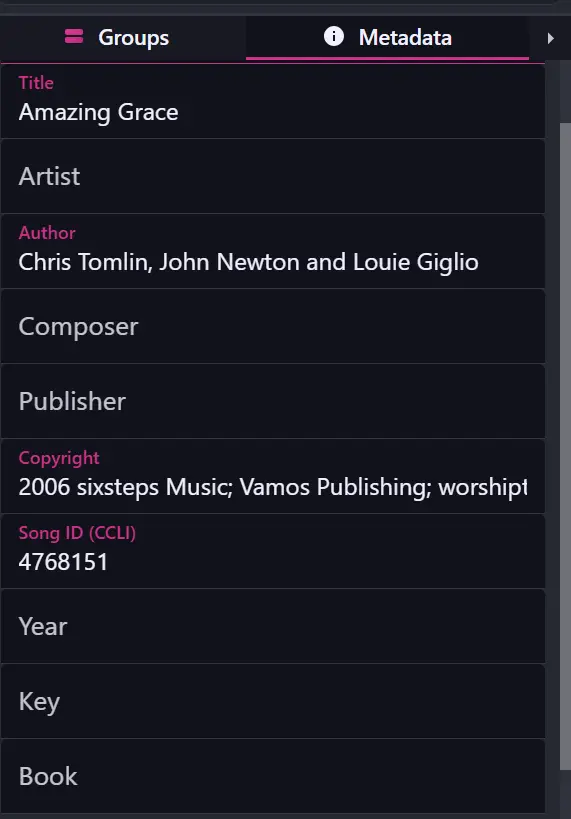
Your songs (shows) must have the Song ID (CCLI) metadata field filled out.
How to Enable Usage Reporting
Navigate to the "Shows" drawer in FreeShow.
Click the options icon in the bottom right.
Enable "Log Song Usage to a File".
This will enable logging of song usage.
Automatically toggle the logging
Sometimes, you might not want to log every time you use a song. For example, during rehearsals or practice sessions. You can set up FreeShow to automatically enable or disable logging based on a specific trigger or date/time.
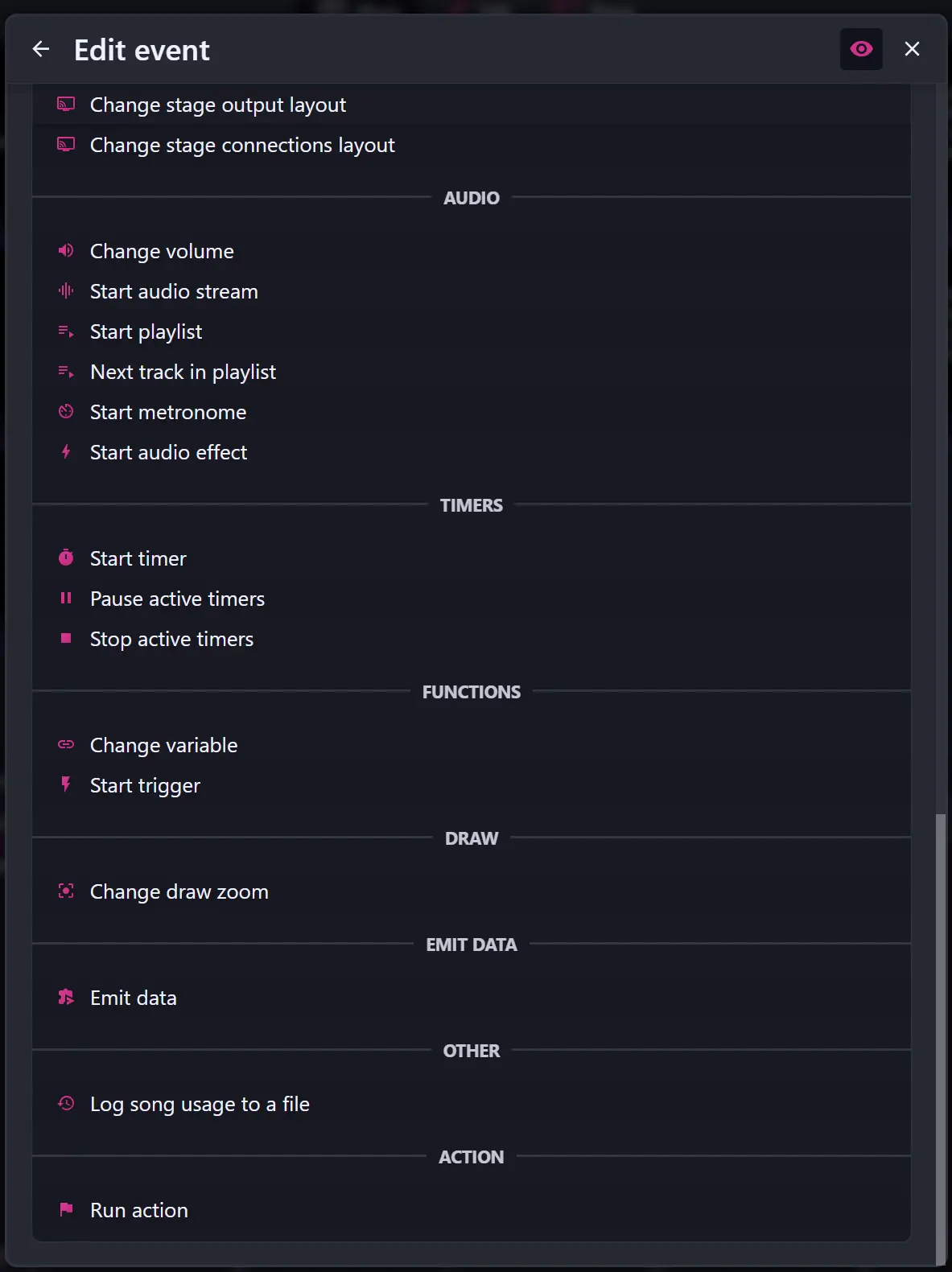
When creating an action, click the 👁️ icon, and under "Other" you will find "Log Song Usage to a File" and you will be able to turn it on, off or toggle.
You can also use FreeShow's API to programmatically enable or disable logging - For example, using Bitfocus Companion.
Generating Reports
Once you are ready to report your song usage, you can generate the report file by following these steps:
- Navigate to the "Shows" drawer in FreeShow.
- Click the options icon in the bottom right.
- Click "Export usage log" (only visible if the logging is active).
This will generate a json file , inside the folder <freeshow root folder>\Exports\Usagecontaining all the song usage data since your last export.
Example of a snippet from the generated file:
FAQ
Can FreeShow automatically submit reports to CCLI?
Unfortunately, CCLI does not provide a public API for automatic submissions. They partner with some paid presentation software, and charge a fee for this service - which is not something FreeShow can offer as a free and open-source project. For the meantime, you will need to manually submit the generated report on CCLI's website. Scripts exist, online, that can help automate this process for you - but they are not officially supported or endorsed by FreeShow.
How can I help make this better?
CCLI is more likely to partner with FreeShow if enough users request it. Consider reaching out to CCLI and letting them know that you would like to see FreeShow as a supported software for automatic reporting. You can contact them via their contact page.